
Who does what
Owner, manager, waiter and kitchen: what each one sees and can do.
Updated 26 October 2026
What it's for
In The Food Please, each person on your team signs in with their own PIN and sees only what they need for their job. There are four roles:
| Role | What it does (as the panel describes it) |
|---|---|
| Waiter | Orders, tables, calls and taking payments. Can mark dishes sold out. |
| Kitchen | The Kitchen screen, plus logging waste and stock counts. |
| Manager | Everything a waiter does, plus void, free tables, end of day, menu and bookings. |
| Owner | Everything, including in-app payments, billing and the team. |
You, with your account (email and password), are the owner and see everything. How to add your team: see Team and permissions.
What each role sees and can do
| What | Waiter | Kitchen | Manager | Owner |
|---|---|---|---|---|
| Orders, tables, calls from tables and taking payments | Yes | — | Yes | Yes |
| Cash register: open, put cash in and take it out | Yes | — | Yes | Yes |
| Mark dishes sold out (Menu › Sold out) | Yes | — | Yes | Yes |
| Today's bookings | Yes | — | Yes | Yes |
| Kitchen screen | Yes | Yes (goes straight in) | Yes | Yes |
| Stock: waste and counts | — | Yes, without seeing costs | Yes | Yes |
| Void bills, free up tables, open the drawer manually, pause pickup orders | — | — | Yes | Yes |
| Report, X and Z reports, invoices | — | — | Yes | Yes |
| The menu (Menu › Dishes), QR codes and booking settings | — | — | Yes | Yes |
| Live, Your business, Customers, Reviews, Stock with costs | — | — | Yes | Yes |
| Modules, AI Waiter, Payments (Stripe), Billing, Credits and Team | — | — | — | Yes |
| My venues | — | — | — | With the owner's account |
| Clock in and view and download their own record (with the Time clock module) | Yes | Yes | Yes | Yes |
| Everyone's time clock: Today, week and month, fix with a reason and export | — | — | Yes | Yes |
| Help and support | Yes | Yes | Yes | Yes |
When someone tries something their role doesn't allow, they see «Your role doesn't allow this».
What each role's day looks like
Waiter
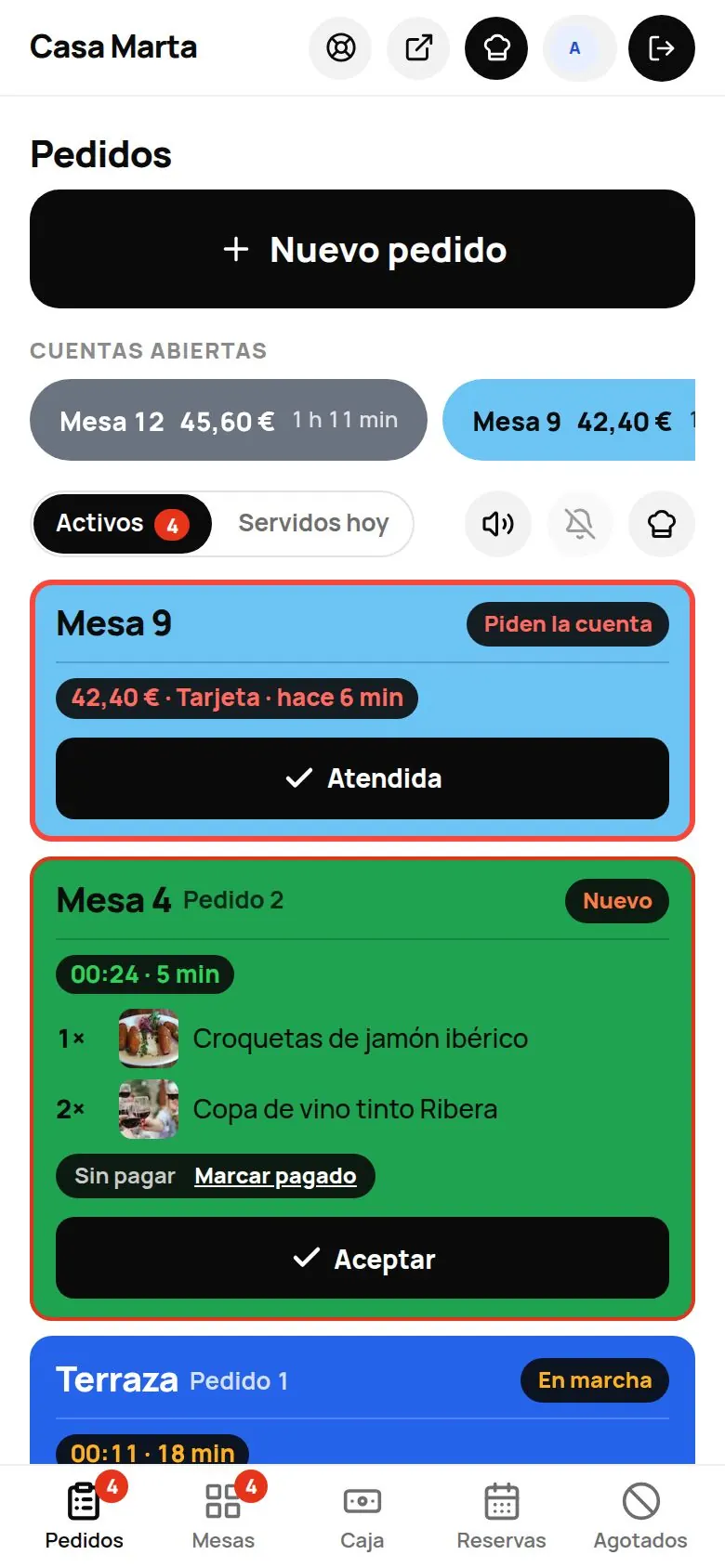
Signs in with their PIN on the venue's tablet or computer. On a phone, their bottom bar is Orders · Tables · Cash register · Bookings · Sold out, with no «More»: everything they need one tap away (the same in The Food Please app). On a computer they see the Floor section and Menu › Sold out. They answer calls, take orders, take payment at tables (in Orders they have «Open tabs» to take payment in two taps) and mark what's run out. If nobody touches the panel for 2 minutes, it goes back to «Who are you?» so the next person can sign in with their PIN.
Kitchen
Goes straight into the kitchen screen. Marks what's started, what's ready and what's gone out. From their screen they have a shortcut to the inventory to log waste and counts (if you have Stock). For a fixed tablet in the kitchen, use Kitchen mode (no PIN needed).
Manager
Does everything a waiter does and, on top of that, changes the menu, voids bills and frees up tables, closes the till, sees the figures and manages bookings and customers.
Owner
Sees everything. On top of that, they're the only one who adds modules, connects payments, pays for the plan, buys credits, activates and creates the AI Waiter and manages the team.
Tips
- Give each person the lowest role that does the job. You can change it whenever you like.
- Don't share your owner email and password with the team: give each person their own PIN.
- Every payment is recorded under the name of whoever took it; in the Report you'll see «Sales by server».