
Your subscription and payments
Card, receipts and plan changes.
Updated 26 October 2026
On this page
What it's for
In Settings › Billing («Plan & billing») you see your plan with The Food Please, when your next charge is, your invoices and the card you pay with. From there you activate your plan, change it or cancel.
During the free trial
With «Menu & floor» you get 14 days free, no card needed. While it lasts, you see the Free trial · X / 14 days card (at the bottom of the sidebar on a computer; above «Live» on a phone). The bar is green with 4 days or more, orange with 2 or 3 and red with 0 or 1.
- Tap Activate plan (on the card or in Settings › Billing).
- Stripe's secure payment page opens. Enter your card.
- You return to your dashboard with the plan active. If you still had trial days left, you don't pay until they run out.
The plan renews automatically every month (or year) until you cancel it.
If the trial ends and you don't activate the plan
Your menu is paused, but nothing is deleted. Your customers see «We'll be right back · This page is temporarily paused.» and you, when you sign in, see «Your free trial has ended», with Activate my plan. Once you activate it, everything comes back instantly, with the same QR codes, dishes and data.
What you see in Billing
- Your plan and its price, and a headline with its status (table below).
- The dates: end of trial, next charge, last payment and whether you pay monthly or yearly.
- Modules: the ones you have and their price, with «See all modules».
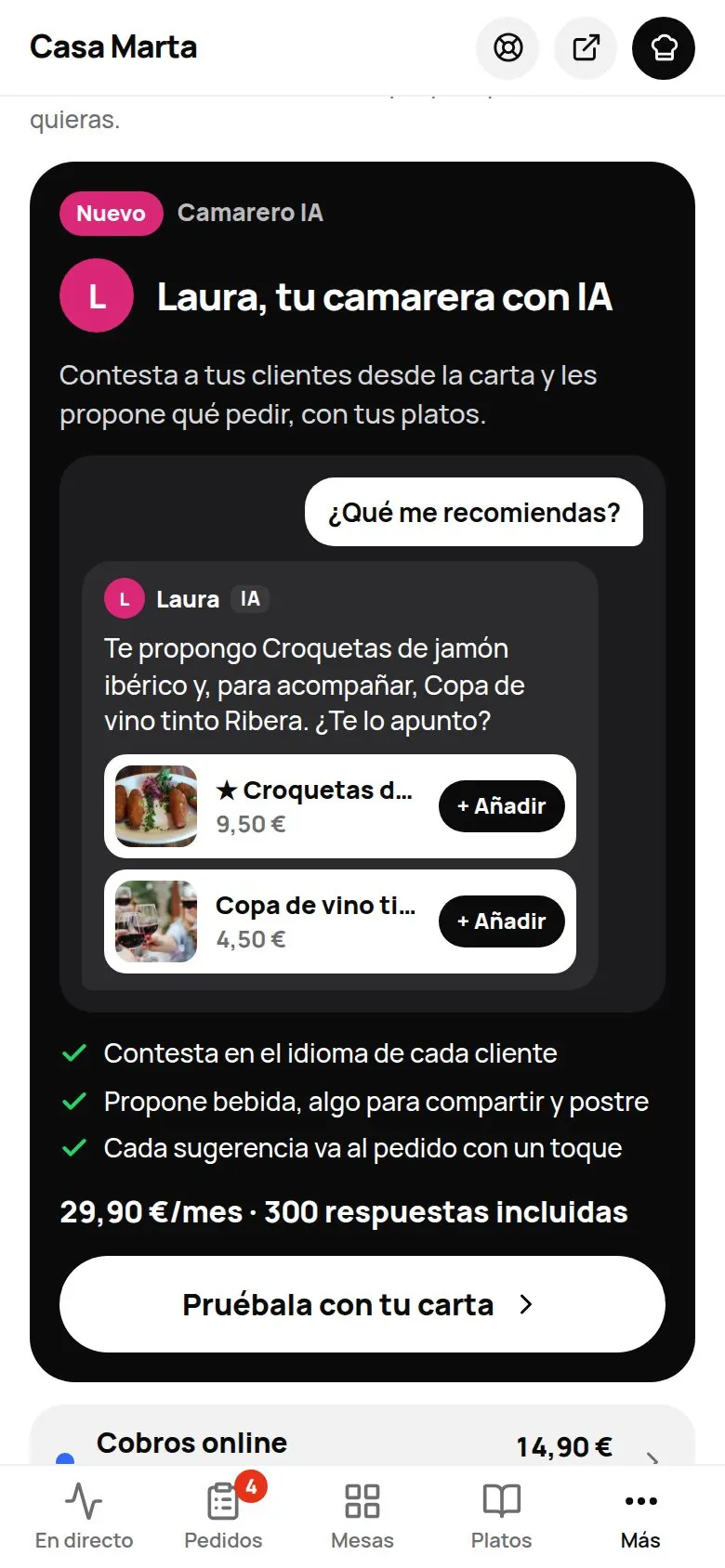
- Add to your plan: what you could add, with the AI Waiter first.
- Your plan: to upgrade or downgrade (see Plans).
- The guarantee and, at the very bottom, closing your account.
| Headline | What it means | What to do |
|---|---|---|
| N days of trial left | You're on the free trial. | Activate plan whenever you like. |
| Plan active | Everything's in order. | Nothing. |
| Active until [date] | You've asked to cancel. | You can undo it in Manage payment and invoices. |
| Payment pending | We couldn't take the last payment. | Check your card so your venue stays open. |
| Your trial has ended | Your menu is paused. | Activate plan. |
| Plan paused for non-payment | The payment still can't go through. | Update your payment details and tap Reactivate plan. |
| Plan cancelled | You cancelled. Everything is still saved. | You can come back whenever you like. |
| Plan managed by The Food Please | Your venue doesn't have automatic payments. | If you have questions, write to us. |
Card, invoices and cancelling: «Manage payment and invoices»
Tap Manage payment and invoices. Stripe's secure page opens (Stripe is the company that processes our payments). There you can:
- Change your card.
- Download your invoices from The Food Please. They're also emailed to you.
- Cancel. No lock-in: you keep everything until the end of the paid period, and until then you can undo it.
Next to each price you'll see whether VAT is added on top («+ VAT»).
If a payment fails
At the top of the dashboard you'll see: «We couldn't charge your plan. Check your card so it doesn't get paused.», with Check payment. Change your card in Manage payment and invoices. If it isn't sorted within a few days, your menu is paused until it's paid («Your plan is paused due to a pending payment» and Reactivate now).
The 30-day guarantee
«If no order has reached you through the QR in the first 30 days after your first charge, we refund that first month.»
- The 30 days count from your first charge (with «Menu & floor», when the trial ends).
- Orders from your customers through your menu's QR code or link count. Orders your team enters in the POS, voided orders and online payments that weren't completed don't count.
- It can only be requested once per venue, and only by the account holder.
- It refunds the first charge for your plan (not single modules). If you pay yearly, one month's fee.
- In Settings › Billing, tap Request the guarantee (it only appears if you're eligible).
- Confirm. We refund the amount to the same card; it takes 5 to 10 working days.
- Your plan stays active. If you also want to cancel, do it separately.
Starting from zero: delete test data
Before you open for real you can reset what you did while testing. Go to Menu › Dishes › Venue settings and, at the bottom, Delete test data (owner only).
- In «Delete everything before» pick the date. By default, tomorrow: so today is included too. You'll see how many orders, tickets, tills, days of statistics and visits will be deleted.
- Tap Download backup (JSON) and keep the file: it's the backup of what gets deleted.
- Type BORRAR and tap Delete test data.
Invoices are not deleted: the law doesn't allow deleting an issued invoice, and those sent to the Tax Agency (VERI*FACTU) are already on record there. If you issued test invoices, your accountant corrects them with a corrective invoice. If you have any, the screen warns you before deleting.
Closing your account and your venue
At the bottom of Settings › Billing: Delete my account and close the venue.
- Type your venue's address to confirm and tap Yes, close the venue.
- Your subscription is cancelled. Your menu, orders, customers and bookings are deleted after 30 days. Until then everything keeps working and you can download whatever you need.
- If you change your mind, tap Cancel the closure before that date.
If you used the Staff time clock, the working-hours record is not lost: when the venue closes we email it to you as PDF and CSV, and we keep a copy for the 4 years the law requires (art. 34.9 ET), only for the Labour Inspectorate or your staff. After that it is deleted automatically.
If your venue has more than one owner, only your account is deleted.
Common problems
| You see | What's happening | What to do |
|---|---|---|
| «No saved card yet: activate your plan first.» | You're trying to manage payment without having activated the plan. | Tap Activate plan. |
| «Your plan is already active: manage it from “Manage payment and invoices”.» | Your plan is already active. | Use Manage payment and invoices. |
| «Payments aren't available right now. Try again shortly.» | The payment service is down at the moment. | Try again later. |
| «More than 30 days have passed since your first charge.» | You've requested the guarantee too late. | — |
| «You've already received an order through the QR, so the guarantee doesn't apply.» | You've already had orders. | — |